EcoGuard CMS

EcoGuard Crew
Management System

One platform for the whole crew lifecycle: crew requirements shared with manning agencies, candidate screening and interviews, onboarding, document verification, contracts, travel and sign-on, with compliance checks at every step.

  • Role-based access
  • Full audit trail
  • Protected sign-in
  • Works offline on board
Fleet overviewSample data
Live
Crew on board248Fully manned
Reliefs due · 30 days17Planned 12
Documents expiring9Action needed
Open requirements43 agencies
CR-00012 · Chief EngineerMV Atlantic Star · joins Rotterdam, 18 Dec
Interviewing
  1. 6Submitted
  2. 4Eligible
  3. 2Shortlisted
  4. 1Interview
  5. –Selected
AI
Alexei IvanovChief Engineer · contract ends in 21 days
Relief due
MS
Maria Santos2nd Officer · all documents verified
Ready to join
10user roles on one shared crew record
STCWcertificate and document checks before sign-on
MLC 2006work and rest hours with exceptions and sign-off
Web + appfor office, vessels, agencies and seafarers

Why EcoGuard

Replace spreadsheets, email chains and paper files

Crewing involves many people in many places. EcoGuard CMS gives them one system, so nobody works from an outdated list.

Before

Vacancies sent to agencies by email; CVs arrive in different formats and the same seafarer is proposed twice.

With EcoGuard

One requirement, shared with chosen agencies, with structured submissions and automatic duplicate checks.

Before

Expired certificates discovered at the gangway; documents checked by hand against a matrix on paper.

With EcoGuard

A document matrix per rank and vessel, expiry alerts in advance, and sign-on blocked until everything is valid.

Before

Contracts, travel, payroll and appraisals in separate tools, with no single history of what happened.

With EcoGuard

Every step on the same crew record, with approvals and a full audit history for inspections and audits.

Built for every maritime role

Everyone works on the same record, and sees only what they should

From the office to the vessel to the manning agency, each user gets a portal made for their job.

Ship owners & managers

Company admins see the whole fleet: vessels, crew, budgets and approvals in one place.

  • Fleet-wide dashboards and alerts
  • Users, roles and permissions per company
  • Approval chains for selections and contracts

Crewing executives

Plan reliefs, raise requirements and move candidates from shortlist to sign-on without spreadsheets.

  • Crew requirements shared with chosen agencies
  • Relief queue and rotation planning
  • Candidate review, eligibility and interviews

Manning agencies

A dedicated agency portal: see only the requirements shared with you and submit matching seafarers.

  • Requirement inbox with joining dates and ranks
  • Candidate submissions with documents
  • Live status of every submission

Masters & vessels

The master sees who is on board, who is joining and what is due, and records data even without internet.

  • Crew list, joiners and leavers
  • Work and rest hours (MLC 2006)
  • Appraisals and on-board approvals

Seafarers

Crew keep their profile, documents and contracts up to date from a phone, and follow their own onboarding.

  • Personal document vault with expiry reminders
  • Onboarding tasks, orientation and training
  • Contracts, payslips and travel details

HR, finance & travel

Payroll, portage bills, allotments and crew travel in the same record, with travel vendors invited to quote.

  • Multi-currency payroll and allotments
  • Portage bills and wage scales (CBA)
  • Flight requests, quotes and tickets

Modules

Everything crewing needs, from recruitment to repatriation

Sixteen connected modules share one crew record, so information entered once is used everywhere.

Recruitment & selection

From a vacancy to a selected seafarer, with every step recorded.

Crew requirements

Raise a requirement by vessel, rank, joining date and port, with nationality, visa, certificate, experience and salary criteria and supporting files.

Agency sharing

Share each requirement with one or more manning agencies. Agencies see only what is shared with them; duplicates across agencies are flagged.

Evaluation & eligibility

Automatic checks against certificates, documents and sea service. Shortlist, hold or reject with reasons, and keep internal notes.

Interviews

Schedule interviews with the panel, run them by video and record the outcome: passed, failed or re-interview, with feedback.

Onboarding & compliance

Make sure every joiner is complete, verified and trained before signing on.

Onboarding & orientation

Step-by-step onboarding lists for each joiner, company orientation, and crew self-service to complete their own tasks.

Document verification

A document requirement matrix per rank and vessel, multi-level verification, and alerts before certificates, medicals or visas expire.

Training matrix

Required training per rank, assigned courses, progress tracking and training certificates for every seafarer.

Contracts

Generate seafarer employment agreements from templates, sign them electronically and keep every version in an audit log.

Operations & planning

Keep every vessel crewed on time and within budget.

Crew planning & reliefs

See contract end dates, reliefs due and planned joiners per vessel. The relief queue links straight to new requirements.

Vessels & safe manning

Vessel profiles, manning scales and crew lists. Sign-on is blocked when a joiner is missing a required document.

Travel & logistics

Crew travel requests, vendor quotes, tickets and itineraries, tied to each crew change and port.

Work & rest hours

Daily work/rest records against MLC 2006 and STCW limits, with exceptions, approvals and monthly sign-off.

People & finance

Pay, performance and reporting from the same crew record.

Payroll & portage bills

Wage scales and CBA rates, monthly portage bills, allotments and payslips in multiple currencies.

Appraisals & promotions

On-board appraisals by the master, review by the office, and promotions with effective dates.

Dashboards & reports

Fleet dashboards, expiring documents, crew status and exportable crew lists for audits and flag state.

Crew mobile app

Seafarers use the app on their phone for profile, documents, contracts and notifications, also with poor connectivity.

How it works

From vacancy to sign-on in eight clear steps

Each step has an owner, a status and a history. Everyone involved always knows what happens next.

  1. 1

    Raise the requirement

    A crewing executive opens a requirement from the relief queue or crew plan: vessel, rank, joining date and criteria.

  2. 2

    Share with agencies

    The requirement goes to the manning agencies you choose, with only the details you decide to share.

  3. 3

    Receive candidates

    Agencies submit seafarers with their documents. Duplicates are detected and every submission is tracked.

  4. 4

    Check & shortlist

    The system checks eligibility against certificates and experience. You shortlist, hold or reject with a reason.

  5. 5

    Interview & select

    Interviews are scheduled and recorded. Passed candidates are selected and the agency sees the result.

  6. 6

    Onboard & verify

    The selected seafarer completes onboarding; documents are verified and required training is assigned.

  7. 7

    Contract & travel

    The employment agreement is generated and signed, and travel to the joining port is arranged.

  8. 8

    Ready to join

    When everything is complete the crew member is ready to join, signs on, and the requirement is closed.
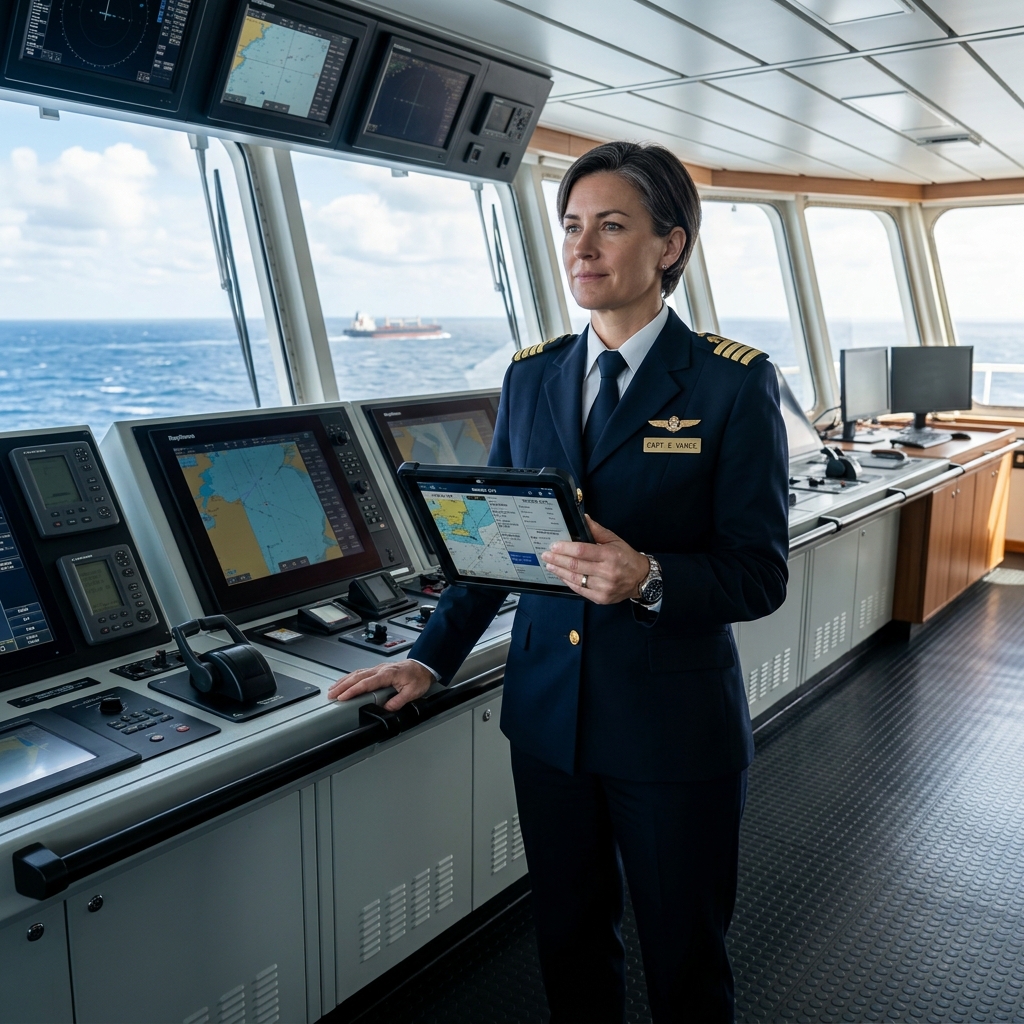
Master on the bridge using a tablet
Crew change approvedDocuments verified · contract signed · tickets issued

Compliance & security

Ready for inspections, audits and vetting

Compliance is built into the workflow instead of being checked afterwards.

Compliance

  • STCW certificates and medicalsTracked per seafarer against the requirements of rank and vessel type.
  • Expiry alertsWarnings well before a certificate, medical, passport or visa expires.
  • Sign-on gateA crew member cannot be signed on while a required document is missing or expired.
  • MLC 2006 work and rest hoursDaily records, non-conformity alerts, exceptions and monthly sign-off.

Security

  • Role-based accessEvery user sees only their company and the data their role allows.
  • Protected sign-inRepeated failed sign-ins are blocked, and travel vendor accounts sign in with authenticator-app codes.
  • Audit historyWho changed what and when, on contracts, documents, selections and payroll.
  • Encrypted connections and daily backupsHTTPS everywhere, stored credentials encrypted, database backed up every day.

On board and on the move

Made for vessels with limited connectivity

Masters and crew can keep working when the connection drops. Records are kept on the device and sent to the office as soon as the vessel is back online.

  • Crew mobile app for profile, documents, contracts and notifications
  • Offline work and rest hours and on-board tasks
  • Works in any modern browser on desktop, tablet and phone

FAQ

Frequently asked questions

Who is EcoGuard CMS for?

Ship owners, ship managers and crewing departments, together with the manning agencies, masters, seafarers, HR, finance and travel partners they work with. Each person signs in with their own role and sees only what that role allows.

How do manning agencies get access?

Your company adds each agency as a user. Agencies then see only the crew requirements you share with them and submit candidates through their own portal.

Can seafarers use it on their phone?

Yes. Crew members use the web portal or the mobile app to keep their profile and documents up to date, complete onboarding tasks and view contracts and payslips.

Does it work on board with poor internet?

Key on-board tasks, such as work and rest hours, can be recorded offline. The data is sent to the office when the connection is back.

How is our data protected?

Each company's data is kept separate, access is controlled by role, repeated failed sign-ins are blocked, connections use HTTPS, important changes are logged, and the database is backed up every day.

How do we get started?

Register your company to start a free trial. Then add your vessels, invite your team and manning agencies, and import or add your crew.

Ready to run crewing on one system?

Start a free trial with your own vessels and team, or sign in to your account.